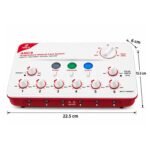
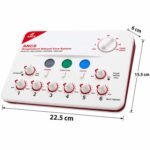
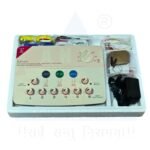
• Power Off and Reset Controls: Ensure all individual output intensity knobs (labeled 1 through 6) and the main power/intensity controls are turned completely off or set to zero before plugging in the unit.
• Connect Power: Plug in the power adapter or insert the required batteries into the unit.
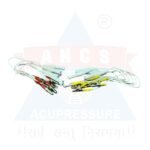
• Attach Output Wires: Plug the multi-channel lead wires into the corresponding output ports on the front panel of the device.
• Attach to Needles or Pads:
• For electro-acupuncture: Clip the alligator clips securely onto the inserted acupuncture needles. Ensure good metal-to-metal contact.
• For TENS/physiotherapy mode: Attach adhesive electrode pads to the ends of the cables and place them directly on clean skin.
• Set Waveform and Frequency: Turn on the device, then select your desired wave mode (such as continuous, intermittent, or dense-dispersed) and adjust the frequency knob (typically 1–100 Hz). Set the treatment timer if your model includes a digital timer.
• Turn on Channels and Adjust Intensity: Switch on the specific output channels you plan to use, then slowly turn up the intensity knob for each active channel one by one. Increase the level only until the patient feels a comfortable, mild tingling or pulsing sensation—never push it to a painful or jarring level.
• Changing Modes Safely: Do not switch wave modes while the device is actively running, as this triggers a safety alarm. Turn off all output channels before changing settings or removing clips
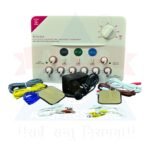
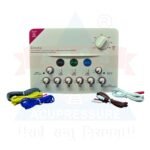
Accessories
Channels: 6 Independent Output Channels
Application: Acupuncture, Electrotherapy, Pain Management
Use: Suitable for Clinics, Hospitals, and Therapy Centers
Control Functions: Adjustable Frequency, Intensity, and Pulse Width
Output Type: For Needle Electro-Stimulation (Electroacupuncture)
Durable Design: Compact and built for regular clinical use
Accessories Included: Output cables, electrode leads, user manual